Skip to content
Bristle & Bot
Navigation / roundup

Do you need a robot vacuum with mapping?

Yes, and the question is close to settled - every machine still on sale here maps. The useful question underneath it is what the map remembers, and that is published far less often.

By Scooter M.Published
An architectural floor plan drawn on paper beside a pen and ruler

Disclosure — some links on this page go to Amazon, and we earn a commission if you buy through them. It costs you nothing extra and it does not change what we recommend or in what order. The full disclosure.

Yes - buy a robot that maps, because an unmapped one cleans in a random pattern until the battery dies and cannot be told where not to go. Among the machines that map, the iRobot Roomba Max 715 Pet is the only one that publishes a stored-map limit worth having: iRobot states ClearView Pro LiDAR and up to five saved floor plans.

This used to be the biggest decision in the category and it has quietly answered itself. Of the 29 robot vacuums currently on sale that we track, every one maps. The last machine here that did not - the eufy 11S MAX, which bumped around in a random pattern and was none the worse for it in a studio flat - was withdrawn from sale in October 2026.

So the honest version of the question is no longer whether to buy mapping. It is what the map is actually good for, and which of its properties the maker is willing to put in writing.

What a map buys you, concretely

  • Methodical rows instead of random bouncing. A mapped robot covers the floor in overlapping passes and knows when it is finished. An unmapped one drives until the battery runs out, and may clean one area four times and another not at all.
  • No-go zones. This is the feature that keeps a robot usable. The corner with the cable nest, the pet bowls, the rug with the fringe it wants to eat - you draw a box around each and it stops being a problem. Without a map there is nothing to draw on.
  • Room and zone cleaning. "Clean the kitchen" rather than "clean the house", which is most of what you will actually use day to day.
  • Resume after charging. A mapped robot returns to the dock, charges, and goes back to the spot it stopped at. An unmapped one starts again from wherever it happens to be.
  • A record of where it has been, which is how you discover that it never goes into the back bedroom - usually because of a door sill. The threshold table is the next stop when that happens.

If you have read that robot vacuums are a gimmick, there is a fair chance the person who said it owned an unmapped one, and the conclusion was reasonable from the evidence they had.

The figure almost nobody publishes

Stored floor plans, across the 29 models currently on sale here
ModelPublished map or floor limit
iRobot Roomba Max 715 PetUp to 5 maps
iRobot Roomba 105 VacUp to 3 maps
eufy Omni C20Up to 3 floors
The other 26 modelsNo figure published

Counted 2026-10-17 from each maker's own product pages and manufacturer listings. Several makers describe multi-floor mapping without stating a limit; that is recorded as unpublished. Sources are on each model's spec sheet.

Three out of 29. That is the real state of disclosure on mapping, and it matters in exactly one situation: a house with more than one level. A robot that stores a single map rebuilds it every time you carry it upstairs, which costs a run and loses your zones. A robot that stores three or five recognizes where it is and loads the right plan.

iRobot is the interesting case. It publishes less about its hardware than anyone here - no climb height for any model, a suction figure for one of five - and it is the only maker that tells you how many floor plans its robots hold. If your house has stairs, read robot vacuums for multi-floor homes next: the map limit is one input into that decision and the carrying problem is the other.

Which sensing hardware, and why the name matters

Navigation system as each maker names it

28 of 29 models publish this figure. Every number below links to the page it came from.

ModelNavigation systemCondition and source
Roborock Qrevo CurvXRoborockRetractSense LiDAR with Reactive AI obstacle recognitionRoborock states the turret retracts in tight spaces and that the system recognizes 108 object types.Source: Roborock Qrevo Curv Series page — navigation (retrieved 2026-09-01)
Roborock Saros 10RRoborockStarSight Autonomous System 2.0Solid-state sensing rather than a raised LiDAR turret, which is what allows the low body.Source: Roborock Saros 10R product page — navigation (retrieved 2026-09-01)
Roborock Qrevo Curv S5XRoborockReactive Tech obstacle avoidanceSource: Roborock Qrevo Curv S5X navigation — manufacturer listing on Amazon.com (retrieved 2026-09-01)
Roborock Qrevo ProRoborockIntelligent dirt detection with obstacle avoidanceSource: Roborock Qrevo Pro features — manufacturer listing on Amazon.com (retrieved 2026-09-01)
Roborock Qrevo (QV 35A)RoborockSmart obstacle avoidance, system not named on the listingSource: Roborock Qrevo QV 35A navigation — manufacturer listing on Amazon.com (retrieved 2026-09-01)
Dreame X50 UltraDreameVersaLift DToF with 360-degree scanning and 3D structured lightSource: Dreame X50 Ultra product page — navigation (retrieved 2026-09-01)
Dreame L40s UltraDreameNot named on the listingThe listing describes app and voice control but does not name the mapping system.Source: Dreame L40s Ultra features — manufacturer listing on Amazon.com (retrieved 2026-09-01)
Dreame X40 UltraDreameAI navigation, system not named on the listingSource: Dreame X40 Ultra navigation — manufacturer listing on Amazon.com (retrieved 2026-09-01)
Dreame L10s UltraDreameAI navigation, system not named on the listingSource: Dreame L10s Ultra navigation — manufacturer listing on Amazon.com (retrieved 2026-09-01)
eufy X10 Pro OmnieufyiPath Laser Navigation with AI.Map 2.0Source: eufy X10 Pro Omni product page — navigation (retrieved 2026-09-01)
ECOVACS DEEBOT T30S ComboECOVACSNot named on the listingSource: ECOVACS DEEBOT T30S Combo features — manufacturer listing on Amazon.com (retrieved 2026-09-01)
iRobot Roomba Combo j9+iRobotPrecisionVision Navigation on iRobot OSSource: iRobot Roomba Combo j9+ product page — navigation (retrieved 2026-09-01)
iRobot Roomba j9+iRobotPrecisionVision obstacle avoidance with smart mappingSource: iRobot Roomba j9+ navigation — manufacturer listing on Amazon.com (retrieved 2026-09-01)
iRobot Roomba Max 705 VaciRobotLiDAR navigation with obstacle and anti-fall detectionSource: iRobot Roomba Max 705 navigation — manufacturer listing on Amazon.com (retrieved 2026-09-01)
Shark PowerDetect 2-in-1 (AV2800ZE)Shark360-degree LiDAR with a 3D sensorSource: Shark PowerDetect 2-in-1 navigation — manufacturer listing on Amazon.com (retrieved 2026-09-01)
Shark Matrix Plus 2-in-1Shark360-degree LiDAR mapping with Matrix Clean grid patternSource: Shark Matrix Plus 2-in-1 navigation — manufacturer listing on Amazon.com (retrieved 2026-09-01)
Shark PowerDetect Self-Empty (AV2820S)SharkNot publishedNo navigation or mapping system is named on the product page.
Roborock Q7 M5+Roborock360-degree PreciSense LiDARSource: Roborock Q7 M5+ product page — navigation (retrieved 2026-09-17)
iRobot Roomba 105 VaciRobotClearView LiDAR, stated to build up to 3 maps and clean in neat rowsiRobot states mapping takes about ten minutes and that it navigates in the dark.Source: iRobot Roomba 105 Vac product page — navigation and mapping (retrieved 2026-09-13)
iRobot Roomba Max 715 PetiRobotClearView Pro LiDAR with PrecisionVision AI, stated to build up to 5 mapsSource: iRobot Roomba Max 715 product page — smart features (retrieved 2026-09-13)
eufy Omni C28eufyiPath 2.0 Smart NavigationSource: eufy Omni C28 product page — navigation (retrieved 2026-09-13)
Dreame Aqua10 Ultra Roller CompleteDreameOmniSight 2.0, a retracting LDS turretDreame's UAE page calls the same retracting-laser hardware VersaLift LDS. The substance both pages agree on is that the laser turret retracts, which is what lets a LiDAR robot get under low furniture.Source: Dreame Aqua10 Ultra Roller Complete product page — OmniSight 2.0 (retrieved 2026-09-26)
Narwal Flow 2NarwalFreo Mind 4.0Narwal names the system without stating the sensing hardware behind it.Source: Narwal Flow 2 product page — navigation (retrieved 2026-09-26)
Shark AI Ultra Self-Empty (AV2501S)SharkAI Laser Navigation with Matrix Clean grid cleaningShark describes Matrix Clean as cleaning in a grid, taking multiple passes over an area rather than a single pass.Source: Shark AI Ultra AV2501S product page — navigation (retrieved 2026-10-03)
Narwal Freo Z10 TurboNarwalLDS NavigationA laser turret. Narwal names the type rather than a trademarked system.Source: Narwal Freo Z10 Turbo product page — navigation (retrieved 2026-10-03)
ECOVACS DEEBOT X9 PRO OMNIECOVACSdToF with AIVI 3D 3.0 Omni-ApproachSource: ECOVACS DEEBOT X9 PRO OMNI product page — navigation (retrieved 2026-10-03)
eufy Omni S2eufyCleanMind AI System on a 3D ToF sensor, with 3D MatrixEye 2.0 obstacle avoidanceSource: eufy Omni S2 US product page — navigation (retrieved 2026-10-17)
eufy Omni E28eufyiPath Laser Navigation, with AI.See RGB-camera obstacle avoidance stated to identify 200+ object typesAn RGB camera on board. Worth knowing before you buy — see what robot vacuums collect.Source: eufy Omni E28 product page — navigation (retrieved 2026-10-17)
eufy Omni C20eufyInfrared and point-laser obstacle avoidance, with multi-floor mapping for up to 3 floorseufy names the avoidance hardware and the mapping limit but not a navigation system, so the system row stays as published.Source: eufy Omni C20 product page — obstacle avoidance and mapping (retrieved 2026-10-17)

Compiled from the manufacturers’ own published material — every row carries the date its figure was read. We have not measured any of these figures ourselves, see how we pick. Found an error? Tell us and we will correct it.

Read that ledger for the blanks as much as the names. Several machines - three of Dreame's five current models, the ECOVACS T30S Combo, the Roborock Qrevo (QV 35A) - say only "AI navigation", name an obstacle-avoidance feature instead of a mapping system, or name nothing at all. That is not a trivial gap. A robot that maps with a spinning laser turret has no camera in it. A robot that maps with a camera does. If you would rather not have a camera-equipped device driving itself around your house, you need the maker to tell you which it is, and several will not. What robot vacuums know about your house is the longer version of that argument.

The capability differences are real too, and they are set out properly in LiDAR vs vSLAM vs solid-state. The short version: a laser turret maps accurately in the dark and traditionally adds height to the robot, a camera system is cheaper and struggles in low light, and the newest designs get around the height penalty two different ways - Roborock states a retracting turret on the Qrevo CurvX and a turret-free solid-state system on the Saros 10R, and both reach a published 80mm body, the flattest figure anyone states here.

What mapping will not fix

A map is a model of your floor, and it cannot change the physical facts of the house. A mapped robot still will not climb a sill taller than its published clearance, still will not reach into a square corner, and still will not go upstairs. If any of those is the thing frustrating you, mapping is not the feature to spend on - the threshold table, corners and edges and why no robot climbs stairs are the three pages that are.

The other thing worth knowing before you buy is that the first map sets the behavior for months, and most bad robot experiences start with a bad first run rather than bad hardware. An hour of preparation beforehand is the highest-value thing you will do with the machine - how to get a good first map is that checklist.

How we picked

Criteria first, products second. These are the things we ranked on, stated before anything is recommended.

  • Treat mapping as a given and rank on what the map does. Every machine ranked here maps; the differences are in the sensing hardware, the stored floor count, and whether the maker will name either.
  • Count the published map limit. How many floor plans a robot stores decides whether it works in a house with more than one level, and only three of the 29 models on sale here state a number.
  • Credit a named sensing system. "AI navigation" is not a specification. A laser turret, a solid-state sensor and a camera behave differently and have different privacy implications.
  • Do not rank on map features we cannot verify from a product page. Room naming, zone cleaning and no-go zones are app behavior that changes with firmware, so they are described rather than scored.
  • No testing claims. We have never run these machines. See how we pick.

What we did not do: test any of these machines. We do not own one, we do not have a lab, and nothing on this page is written as though we did. The full method.

Quick picks

Ranked on the published specifications below. Tap a row to jump to the full write-up.

#ProductBest forMax climbPrice
1
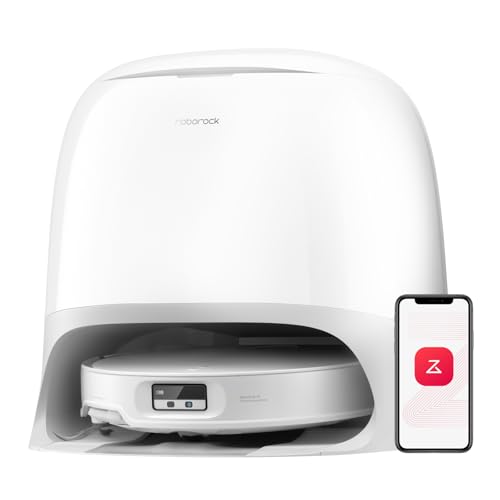
iRobot Roomba Max 715 Pet
iRobot Roomba Max 715 PetDual rubber anti-tangle brushes and a 90-day allergen-sealed dock — and the one place iRobot has printed an actual suction number instead of a multiple.
The only Roomba with a stated Pa figureNot published
2
Roborock Saros 10R
Roborock Saros 10RAn 80mm body with no LiDAR mast, which is the practical answer to a robot that stops dead at the sofa every run.
Getting under low furnitureNot published
3
Roborock Qrevo CurvX
Roborock Qrevo CurvXThe highest published suction figure here paired with the highest published mop lift, which is the combination a mixed-floor home actually needs.
Thick carpet and tall sills in one house40mm (1.57in) double-layer
4
eufy Omni C20
eufy Omni C20One of the two least powerful machines on this site on paper, and the one that tells you the most about itself for the money — suction, climb, mop lift, runtime, bin and body height are all published.
The cheapest complete spec sheet here18mm

Every figure in this table is linked to the page it came from in the write-ups below. We have not tested any of these machines.

iRobot Roomba Max 715 Pet
Top pick

iRobot Roomba Max 715 Pet

The only Roomba with a stated Pa figure

Dual rubber anti-tangle brushes and a 90-day allergen-sealed dock — and the one place iRobot has printed an actual suction number instead of a multiple.

Published specifications

Stated suction
30,000 PaStated on the Amazon listing. iRobot's own product page for the Max 715 states "4X more power-lifting suction" instead and prints no Pa figure — the same maker describing the same machine two different ways.Source: iRobot Roomba Max 715 Pet — stated suction — manufacturer listing on Amazon.com (retrieved 2026-09-13)
Max climb height
Not publishedNot stated by iRobot or on the listing.
Mop lift
Not publishedVacuum-only trim. There is no mop to lift.
Main brush
Dual rubber anti-tangle brushes with an anti-tangle side brushiRobot states the brushes flex to stay in contact with the floor and that the side brush is designed to stop hair wrap at the hub.Source: iRobot Roomba Max 715 product page — brush system (retrieved 2026-09-13)
Navigation
ClearView Pro LiDAR with PrecisionVision AI, stated to build up to 5 mapsSource: iRobot Roomba Max 715 product page — smart features (retrieved 2026-09-13)
Dock
AutoEmpty dock with a sealed AllergenLock bag, stated at 90 days and 0.7 micronsSource: iRobot Roomba Max 715 product page — AutoEmpty dock (retrieved 2026-09-13)

What it does well

  • Dual rubber anti-tangle brushes plus an anti-tangle side brush — both ends of the tangle problem
  • AllergenLock bag stated to capture particles down to 0.7 microns, sealed, at 90 days
  • A stated 30,000 Pa on the listing, which is the highest figure any iRobot model carries here

What it does not

  • iRobot's own product page states a relative multiple instead of the Pa figure, so the two surfaces disagree in kind
  • No mop, no published threshold height, no published runtime
  • The 90-day dock claim assumes a household, not a specific floor area

Who it is for

A shedding household that wants Roomba hardware and cares about what is in the bin bag.

Skip it if

You want mopping. This is the vacuum-only trim, and iRobot publishes no climb height for it either.

Roborock Saros 10R
Pick 2

Roborock Saros 10R

Getting under low furniture

An 80mm body with no LiDAR mast, which is the practical answer to a robot that stops dead at the sofa every run.

Published specifications

Max climb height
Not publishedRoborock markets an industry-first AdaptiLift chassis on this model but states no climb height on the product page.
Navigation
StarSight Autonomous System 2.0Solid-state sensing rather than a raised LiDAR turret, which is what allows the low body.Source: Roborock Saros 10R product page — navigation (retrieved 2026-09-01)
Stated runtime
Not publishedNot stated on the Roborock product page.
Dustbin
Not publishedNot stated on the Roborock product page.
Dock
10-in-1 Multifunctional Dock 4.0 with hot-water mop washingSource: Roborock Saros 10R product page — dock (retrieved 2026-09-01)

What it does well

  • Solid-state sensing instead of a spinning turret, so the body can genuinely be low
  • 17mm mop lift, matching the Curv line
  • DuoDivide anti-tangle main brush

What it does not

  • No published climb height, which for a chassis-lift model is a strange omission
  • Camera-and-structured-light navigation is exactly the setup privacy-cautious buyers ask about

Who it is for

Homes where most of the dust lives under things — low sofas, bed frames, kickboard gaps.

Skip it if

Your problem is thresholds. Roborock markets an AdaptiLift chassis on this model but publishes no climb height for it.

Roborock Qrevo CurvX
Pick 3

Roborock Qrevo CurvX

Thick carpet and tall sills in one house

The highest published suction figure here paired with the highest published mop lift, which is the combination a mixed-floor home actually needs.

Published specifications

Max climb height
40mm (1.57in) double-layerRoborock states "1.57 in Max. Double-Layer Threshold Crossing", with the chassis lift engaged.Source: Roborock Qrevo Curv Series page — threshold crossing (retrieved 2026-09-01)
Main brush
DuoDivide main brush with FlexiArm Arc side brushRoborock calls the pair its Dual Anti-Tangle System.Source: Roborock Qrevo Curv Series page — brush system (retrieved 2026-09-01)
Navigation
RetractSense LiDAR with Reactive AI obstacle recognitionRoborock states the turret retracts in tight spaces and that the system recognizes 108 object types.Source: Roborock Qrevo Curv Series page — navigation (retrieved 2026-09-01)
Stated runtime
Not publishedNot stated on the Roborock series page.
Dustbin
Not publishedNot stated on the Roborock series page.

What it does well

  • 17mm mop lift is the highest published figure in this comparison
  • 80mm (3.14in) body clears furniture most flagships cannot
  • Retracting LiDAR turret, so the mast is not the height limit

What it does not

  • 22,000 Pa is a peak figure, not what it sustains across a room
  • Roborock publishes only a double-layer threshold figure for it, not a separate figure for a single vertical sill

Who it is for

Homes with deep carpet in some rooms and hard floors in others, where the mop has to get properly out of the way.

Skip it if

You have no carpet at all. Most of the premium on this model is carpet-specific hardware.

eufy Omni C20
Pick 4

eufy Omni C20

The cheapest complete spec sheet here

One of the two least powerful machines on this site on paper, and the one that tells you the most about itself for the money — suction, climb, mop lift, runtime, bin and body height are all published.

Published specifications

Stated suction
7,000 PaJoint second-lowest stated figure among the machines currently sold here. Only the Dreame L10s Ultra's 5,300 Pa is lower, and the Roborock Qrevo Pro states the same 7,000.Source: eufy Omni C20 product page — max suction (retrieved 2026-10-17)
Max climb height
18mmA modest figure, published plainly. Measure a door sill before assuming it clears.Source: eufy Omni C20 product page — climb height (retrieved 2026-10-17)
Mop lift
10.4mmeufy states this as 0.41in in its FAQ and 10.4mm in the spec table. The two agree, which is worth noting on a brand whose other sheets do not.Source: eufy Omni C20 product page — mop auto-lifting (retrieved 2026-10-17)
Main brush
Pro-Detangle Comb over the roller brusheufy describes the roller reversing while a comb flips down to cut hair free, rather than naming a brush construction.Source: eufy Omni C20 product page — anti-tangle brush (retrieved 2026-10-17)
Navigation
Infrared and point-laser obstacle avoidance, with multi-floor mapping for up to 3 floorseufy names the avoidance hardware and the mapping limit but not a navigation system, so the system row stays as published.Source: eufy Omni C20 product page — obstacle avoidance and mapping (retrieved 2026-10-17)
Stated runtime
101 minutes sweeping and mopping in standard modeSource: eufy Omni C20 product page — run time (retrieved 2026-10-17)
Body height
85mmThe third-flattest published figure here, behind the 80mm Roborock states for the Qrevo CurvX and the Saros 10R. eufy also states it cleans under furniture as low as 3.54in.Source: eufy Omni C20 product page — robot height (retrieved 2026-10-17)
Dock
All-in-One station: self-emptying into a stated 3.1L bag for up to 60 days in a pet-free home, mop washing, mop drying with room-temperature air, and water refilling from a 2.5L tankRoom-temperature drying rather than hot air. That is the single biggest difference between this station and the expensive ones, and it is the usual cause of a musty pad.Source: eufy Omni C20 product page — station (retrieved 2026-10-17)

What it does well

  • An 85mm body — among the flattest figures published by any maker here
  • Publishes suction, climb height, mop lift, runtime, dustbin capacity AND body height, which several machines at triple the price do not
  • A full station — self-empty, mop wash, mop dry and water refill — at the bottom of the range

What it does not

  • 7,000 Pa sits near the bottom of the stated-suction range on this site
  • The station dries with room-temperature air, not hot air
  • eufy names an obstacle-avoidance method but no navigation system in the page text

Who it is for

A flat or a small house with low furniture and modest sills, where a full station at the lowest price matters more than a big suction figure.

Skip it if

You have deep carpet or a lot of pet hair. A stated 7,000 Pa sits near the bottom of every figure on this site, and no amount of disclosure changes what that means on a thick rug.

What we would skip, and why

Skip this one

Dreame X40 Ultra

A genuinely good machine and the best spec sheet per dollar in Dreame's range - a published 22mm climb, a removable mop pad and a hot washboard dock. It is the skip on this page for one reason: Dreame describes its navigation as "AI navigation" and does not name the sensing hardware. That means you cannot tell from the product page whether this robot maps with a laser or with a camera, which is a capability question and a privacy question at once. Three of Dreame's five current models carry the same blank. If how the robot sees your house matters to you, buy from a maker that says.

Which mapping robot for which house

  • More than one floor - the Roomba Max 715 Pet, the only machine here that publishes a five-map limit. Read multi-floor homes for the carrying problem it does not solve.
  • You need the robot to map and still fit under low furniture - the Saros 10R or the Qrevo CurvX, both at a published 80mm. A laser turret traditionally costs you height; these two are the exceptions, by different means.
  • Mapping on the smallest budget, with nothing hidden - the eufy Omni C20. It states a three-floor limit, and it is the only machine in eufy's range that publishes all nine specifications we track.
  • You want to know whether there is a camera in it - check the navigation row on the specific model, not the brand. Roborock names a laser system on two of six current models and an avoidance feature on the rest; Dreame names the hardware on two of five.
  • Your robot already maps and keeps getting lost or stuck - this is not a hardware problem yet. Start with why the robot keeps getting stuck and how to get a good first map.

Questions people actually ask

+ Do I need a robot vacuum with mapping?

Yes. A mapped robot cleans in methodical rows, lets you set no-go zones around cables and rug fringes, lets you send it to a single room, and resumes where it stopped after charging. An unmapped robot does none of those. It is also close to a non-decision now - every one of the 29 models currently on sale that we track maps.

+ How many floors can a robot vacuum map?

Almost no maker says. Only three of the 29 current models on this site publish a limit: iRobot states up to five maps for the Roomba Max 715 Pet and up to three for the Roomba 105 Vac, and eufy states multi-floor mapping for up to three floors on the Omni C20. The other 26 describe multi-floor mapping without committing to a number.

+ Is laser mapping better than camera mapping?

For accuracy in the dark, yes - a laser turret does not need light and a camera system does. The trade-offs are height, cost and privacy: a turret traditionally makes the robot taller, a camera is cheaper, and a camera means there is a camera in your house. The newest designs avoid the height penalty either by retracting the turret or by going solid-state. The full comparison is in LiDAR vs vSLAM vs solid-state.

+ What is the difference between mapping and obstacle avoidance?

The map is the floor plan - where walls, rooms and furniture edges are. Obstacle avoidance is live detection of things that were not there when the map was built, like a cable or a sock. They are separate systems, and a robot with an excellent map can still run over a shoe.

+ Do robot vacuums remember your house?

A mapping robot stores a floor plan and reuses it, which is how room cleaning and no-go zones work. Where that plan is stored, and what else is sent with it, varies by maker and is not always clearly published - what robot vacuums know about your house sets out what is and is not disclosed.

+ Will a mapping robot vacuum still get stuck?

Yes. A map tells the robot where the rooms are; it does not change how high the robot can climb or how wide its wheels are. The usual causes are a door sill above its published clearance, a rug it can ride onto but not off, and a gap under furniture just low enough to wedge in. Why the robot keeps getting stuck works through them in order.